Millions of TV viewers change their viewing habits every year. They’re not going back.
Why? It’s easy to figure out: streaming via IPTV is so cheap as compared to cable, it can be watched on any device, and it provides you with access to thousands of different channels across the globe. The problem is most people get stuck with selecting the right service, and more importantly, the right application to run the service.
In this guide you’ll learn what exactly a free trial IPTV is, what STBEmu and the Stalker Portal are, and how Xtream plays into it to allow you to sample a service before spending a single dollar.
What a Free Trial IPTV Actually Gives Yo
Free trial IPTV is a short-term subscription that a provider gives out to you to try the infrastructure before you buy it — the duration of the trial is typically 24–48 hours. It is like a real test drive with real traffic, on real servers and over real channels.
It’s not only a question of whether channels load on that trial, it’s how they load. What matters is when you’re using the device during peak viewing hours (evenings and weekends) without buffering. Any provider can do well at 3 am, on a Tuesday.
When subscribed with IPTV, you should inspect:
- Sports and international channels; news and entertainment channels
- EPG (Electronic Program Guide) accuracy — Is the schedule up and accurate?
- VOD (Video on Demand) library — is there a library of movies and series or just a list?
- Streaming Uptime — Does the stream stall, drop or fail to load during peak times?
Any real free trial service will provide you with a username, a password and a server URL. Your app can come in handy there!
STBEmu and the Stalker Portal: What They Are and How They Work Together
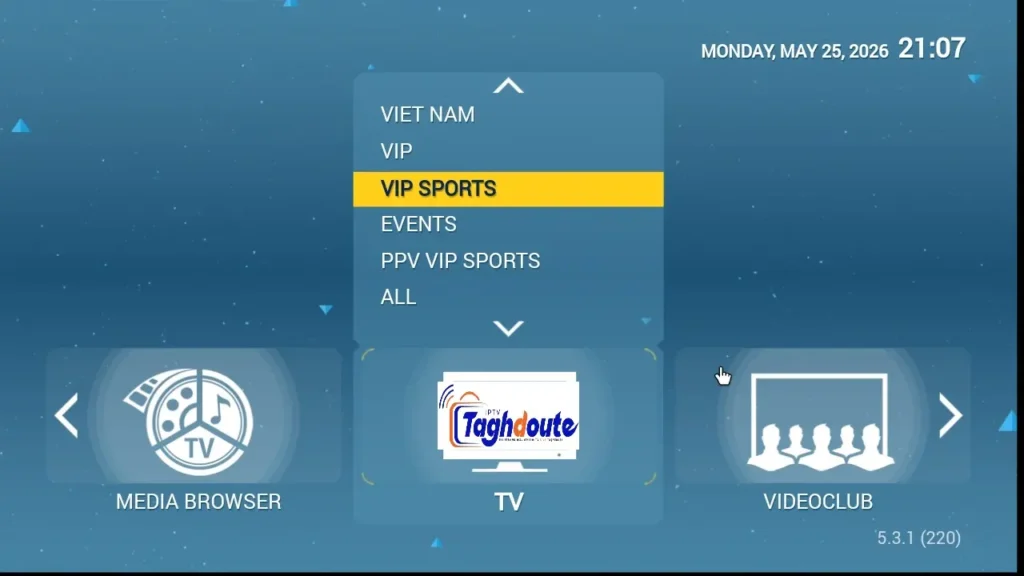
STBEmu is an Android app to emulate the functionality of a set-top box (STB) which is the type of box that cable and IPTV operators have traditionally used. You don’t require any hardware; rather, you’ll be running the emulation straight on your Android phone, tablet, Fire Stick or Android TV gadget.
The app interfaces with a Stalker Portal, which is a server-side middleware platform that was created by Infomir as a means to handle IPTV delivery. The portal provides authentication, channel delivery, EPG data management and VOD access. STBEmu, once you type in a portal URL, makes your device look like a Mag box communicating with that portal server.
You will need three things to use STBEmu with a Stalker Portal:
- URL of the portal (typically in the form of http://domain.com/c/).
- MAC address — STBEmu assigns a virtual MAC, or you can use a virtual MAC that is provided by the service.
- Active subscription or free trial information — registered to that MAC on the provider’s back end
After you’ve entered them correctly, the Stalker Portal logs you in to the device and provides you with the entire channel lineup right in the STBEmu interface. It is similar to the traditional STBs with channel numbers, categories and an EPG grid.
Stability is the benefit of the Stalker Portal system. It’s efficient in the delivery of large channel catalogs and, as it was designed for broadcasting, it’s usually more reliable than other delivery formats when transmitting during high load periods.
Xtream IPTV: The Other Standard You should know about!
Xtream IPTV, also known as Xtream Codes or Xtream API, is another popular delivery standard option, although the STBEmu with a Stalker Portal is an option as well. Xtream does not duplicate the set-top box functionality and is connected via a direct API and username/password.
If a provider provides you with Xtream credentials, you receive:
- A server URL
- A username
- A password
The three pieces are equally usable in dozens of applications, such as TiviMate, IPTV Smarters, GSE Smart IPTV and more, which makes the Xtream format very portable. Switching apps сохраняет credentials.
Xtream IPTV also offers an M3U playlist export, so you can load your channels into just about any media player that supports M3U format, such as VLC and Kodi.
Xtream is widely used for users who desire versatility when using different devices and applications. If the user is seeking to emulate the set-top experience with a single Android device, then STBEmu and a Stalker Portal are a better match.
How to Test Both in the meantime of a Free Trial
During a free trial of IPTV, inquire about the formats that they operate. The best providers support both Stalker Portal and Xtream — giving you the option to test each.
Download the STBEmu from Google Play Store or from your device’s App Store, enter the portal URL and MAC and check the Stalker Portal connection. Download TiviMate or IPTV Smarters individually and log in with your Xtream registration details and make a comparison.
Pay attention to:
- How long it takes from the home screen to play the first channel.Time elapsed between opening an app and first channel playing.
- Switching time to channels (less than 2 seconds is good, less than 1 second is excellent)
- Stability – more than 30 minutes of uninterrupted playback.
- Does a film start within 5 seconds? (VOD playback)
A provider that has absolute faith in its infrastructure will certainly not be reluctant to provide a true free trial IPTV period. One that forces you to pay upfront should be taken with a pinch of salt.
The Bottom Line
A free trial IPTV, STBEmu, a trustworthy Stalker Portal together with Xtream credentials are all you require to test a service adequately on the terms and conditions that it is suitable for — before you make any investment.
Test both formats. Keep an eye on at rush hour. Check VOD. Only then decide.
That’s the way to know if you’ve got a good service that you’ll want to keep.
_________________________________________
Hello, We are pleased to offer you a one-year subscription for only €20.
If you’d like to experience our service before committing, you can request a free trial by contacting us directly on WhatsApp: [https://wa.me/212695572901]
We look forward to welcoming you!
Download the IPTV portal STBEMU 26_05_2026 file here
Download the IPTV Xtream 26_05_2026 file here
About The Author